
Navigating the digital world is increasingly important for seniors, offering practical ways to stay connected, informed, and engaged. Below are 12 essential technology skills that can improve everyday life, promote independence, and strengthen relationships.
Email Communication

Credit: pexels
Being comfortable with email is a core digital skill. It enables seniors to keep in touch with family and friends, receive important notifications such as appointment reminders, manage subscriptions, and handle correspondence with service providers. Learning how to compose, reply, forward, attach files, and organize messages into folders makes email more useful and less overwhelming.
Internet Browsing

Credit: iStockphoto
Knowing how to use a web browser unlocks a vast amount of information—from current events and health resources to hobbies and local services. Learning to use search engines effectively, open and close tabs, bookmark helpful pages, and evaluate sources for reliability helps seniors find accurate answers quickly and confidently.
Social Media Basics

Credit: pexels
Social platforms like Facebook, Instagram, and Twitter can help seniors stay in touch with family, follow community events, and discover interest groups. Learning to create and manage profiles, post updates and photos, control privacy settings, and recognize unwanted contacts helps maintain social engagement while staying safe online.
Online Banking and Bill Payments

Credit: pexels
Understanding online banking can make managing finances simpler and more convenient. Seniors who learn to check account balances, transfer funds, review statements, and pay bills online can reduce the need for in-person bank visits. It’s important to use secure websites, enable two-factor authentication, and monitor accounts regularly for unusual activity.
Video Calling

Credit: pexels
Video calling apps such as Skype, Zoom, and FaceTime make face-to-face conversations possible across distances. Learning to schedule and join calls, adjust camera and microphone settings, and use features like screen sharing can reduce isolation and help seniors feel more connected with family, friends, and care providers.
Smartphone and Tablet Use

Credit: pexels
Smartphones and tablets offer portable, intuitive access to communication, entertainment, and practical tools. Learning basic functions—installing and updating apps, using the camera, adjusting display and sound settings, and organizing apps—helps seniors use these devices for navigation, reading, medication reminders, and more.
Online Safety Practices

Credit: pexels
Protecting personal information is essential. Seniors should learn to recognize common scams and phishing emails, create strong unique passwords, enable two-factor authentication where available, and keep software up to date. Understanding how to spot suspicious links or requests and when to seek help reduces the risk of fraud.
Text Messaging (SMS) and Messaging Apps
Credit: pexels
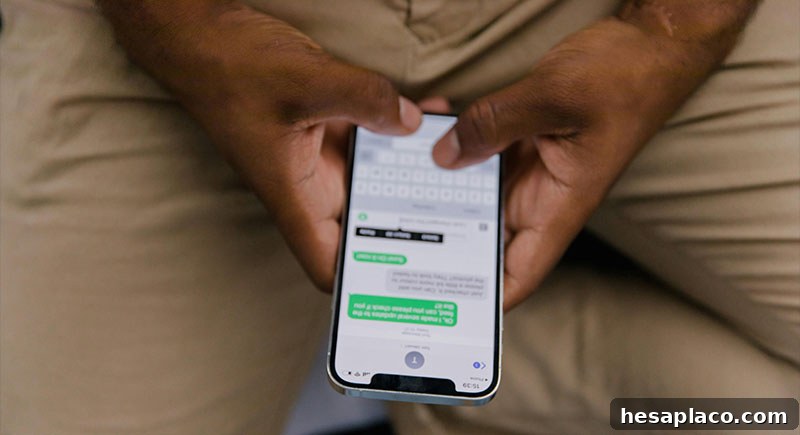
Text messaging and apps like WhatsApp offer quick, informal ways to exchange updates, photos, and voice messages. Learning to send, receive, forward, and delete messages, as well as manage group chats and privacy settings, makes everyday communication easier and more immediate.
Using E-commerce Sites

Credit: pexels
Online shopping opens access to a wide selection of products and can be especially useful when local options are limited. Seniors should learn how to compare prices, read product descriptions and reviews, use secure payment methods, and track orders. Understanding return policies and recognizing legitimate sellers helps ensure safe purchases.
Digital Photo and Video Sharing

Credit: pexels
Sharing photos and videos by email or on social platforms helps family members stay connected to meaningful moments. Learning how to upload, tag, and organize media, adjust privacy settings, and share albums can make it easier to reminisce and celebrate milestones across distances.
Navigating Streaming Services

Credit: pexels
Streaming services provide vast entertainment choices, from movies and series to music and educational videos. Seniors who learn to navigate platforms, create watchlists, adjust subtitles and audio settings, and manage subscriptions can enjoy tailored entertainment and lifelong learning options.
Using Health and Wellness Apps

Credit: pexels
Many apps support health tracking, medication reminders, fitness routines, and appointment management. Learning to use reputable health and wellness apps, share information with healthcare providers when needed, and monitor basic metrics can help seniors remain active and informed about their health.
Developing these 12 skills can boost confidence, independence, and quality of life. Start with one or two areas, practice regularly, and seek support from family, community centers, or online tutorials to build competence and enjoy the benefits of the digital age.